Rethinking In-Cab Feedback for Heavy Equipment Operators
Redesigned an in-cab display and feedback system for a Fortune 100 client* to reduce clutter, rebuild operator trust, and improve day-to-day performance through clearer, more supportive guidance.
My Role:
Lead UX Designer
Project Type:
Duration:
12 Weeks
Overview
The Challenge
Heavy equipment operators rely on in-cab displays while working in loud, high-pressure environments. The existing system surfaced too much information at once, delivered unclear feedback, and was often described by operators as a “tattletale” rather than a helpful tool.
The Solution
We redesigned the experience to be simple, flexible, and supportive. By pairing customizable gauges with a clearer coaching system, operators can focus on what matters most, understand feedback in context, and feel more in control of their performance.
My Process
Research
Research Goal
Understand why operators disengage from in-cab displays and coaching systems, and identify what would make guidance feel useful in real working conditions.
Research Methods
Operator interviews (novice → 30+ years experience)
Usability testing on initial prototypes
Competitive review of in-cab and industrial display and guidance systems
Literature Review of 20+ articles
Ongoing mentor and stakeholder feedback
Synthesis workshop to define final solutions
Key Insights
Operators won’t engage with cluttered screens
In-cab displays must be readable in seconds
Dense layouts cause operators to ignore the system entirely
Coaching feels critical, not helpful
Feedback is often perceived as a "tattletale" rather than support
Operators regard coaching with low trust and avoidance.
Experience level changes engagement
New operators seek explanations
Experienced operators prefer quick confirmation without friction
Context builds trust
Tips that ignore terrain, task, or site conditions feel unfair and are quickly dismissed
Unconventional accessibility needs must be considered
Noise, glare, vibration, and literacy constraints require simple language, strong visuals, and optional audio support.
Design
Key Screens
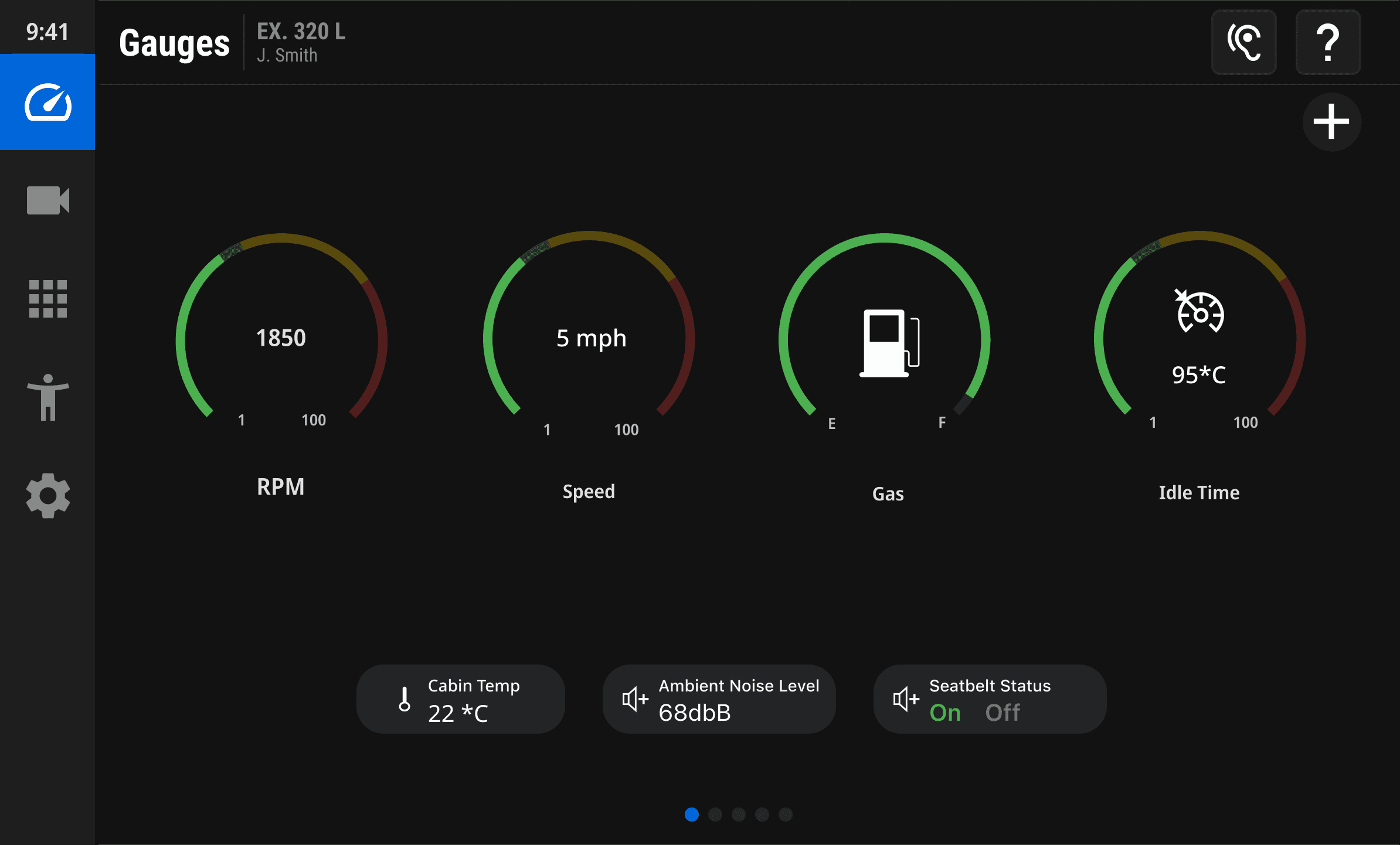
Customizable Gauges
Operators only glance at the display for a second or two, so the gauge screen was simplified and made fully customizable. Operators can choose which gauges matter most to them, reducing clutter while keeping critical information easy to scan.
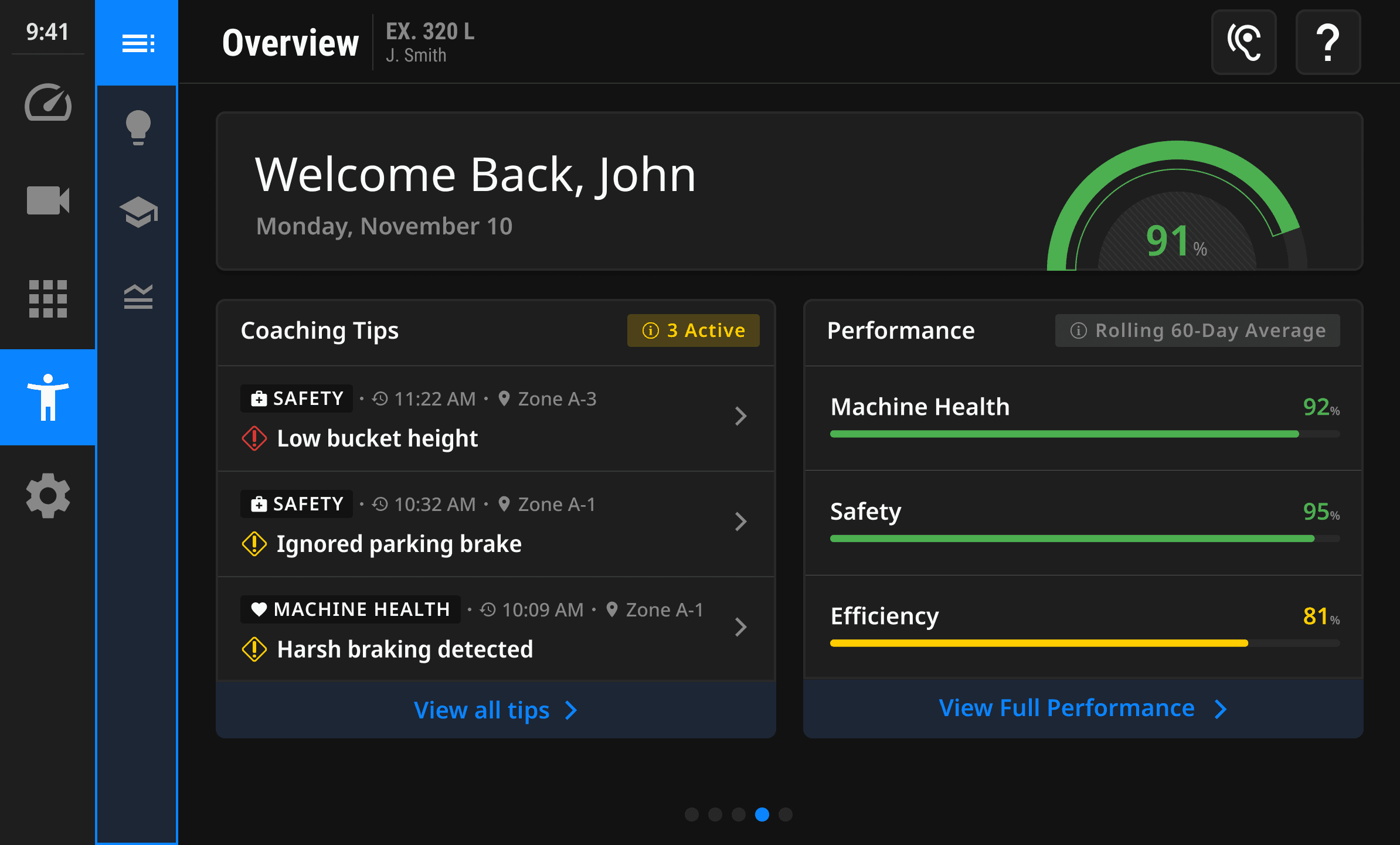
Coaching Overview
All operator feedback is centralized into a single overview screen. Active tips and performance scores are visible at a glance, avoiding interruptions while making feedback easier to understand.
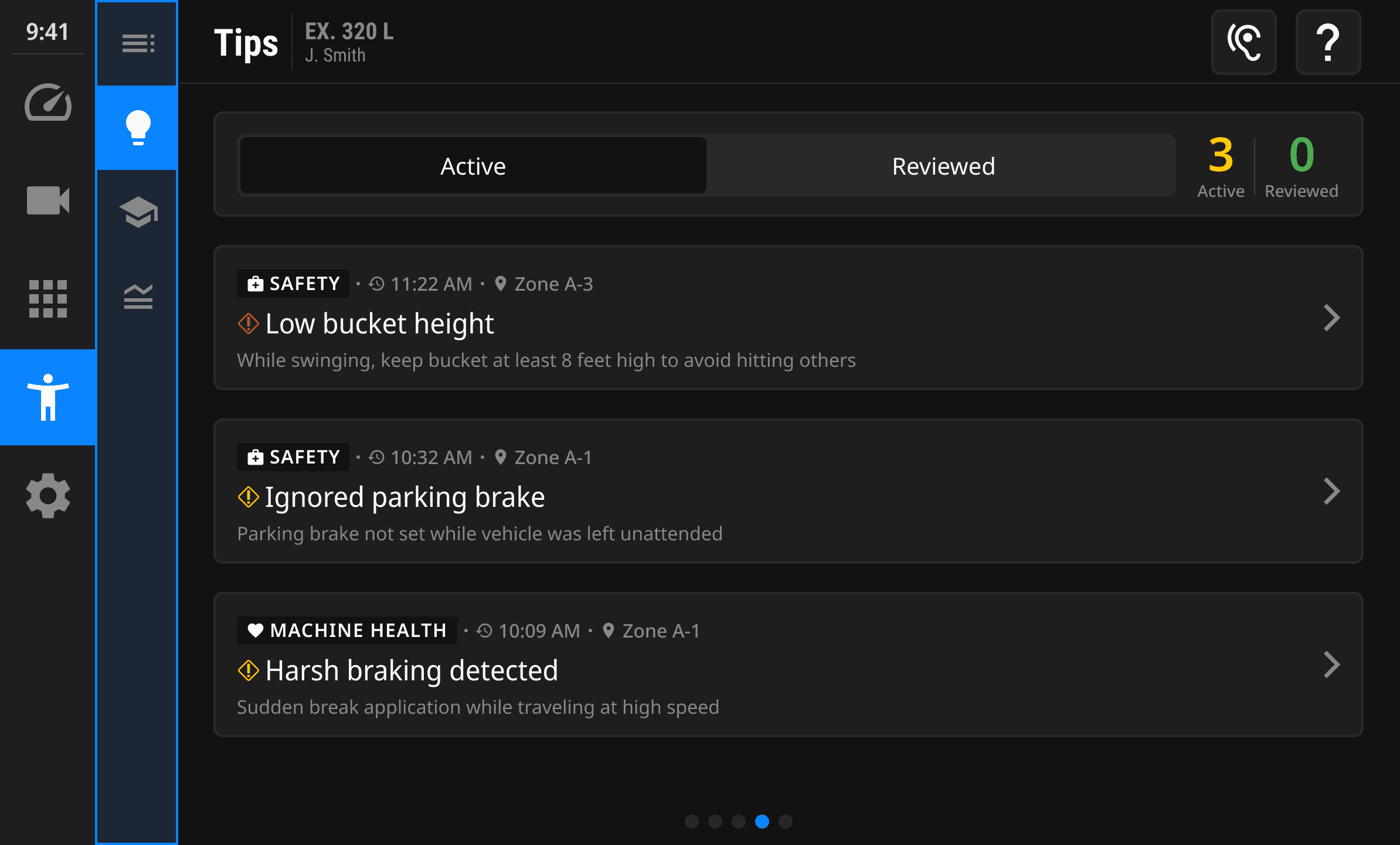
Coaching Tips
Tips are designed to be flexible and non-intrusive. Operators can quickly scan and acknowledge feedback or open a tip to see what happened, why it matters, and how to improve, supported by short visuals and clear steps.
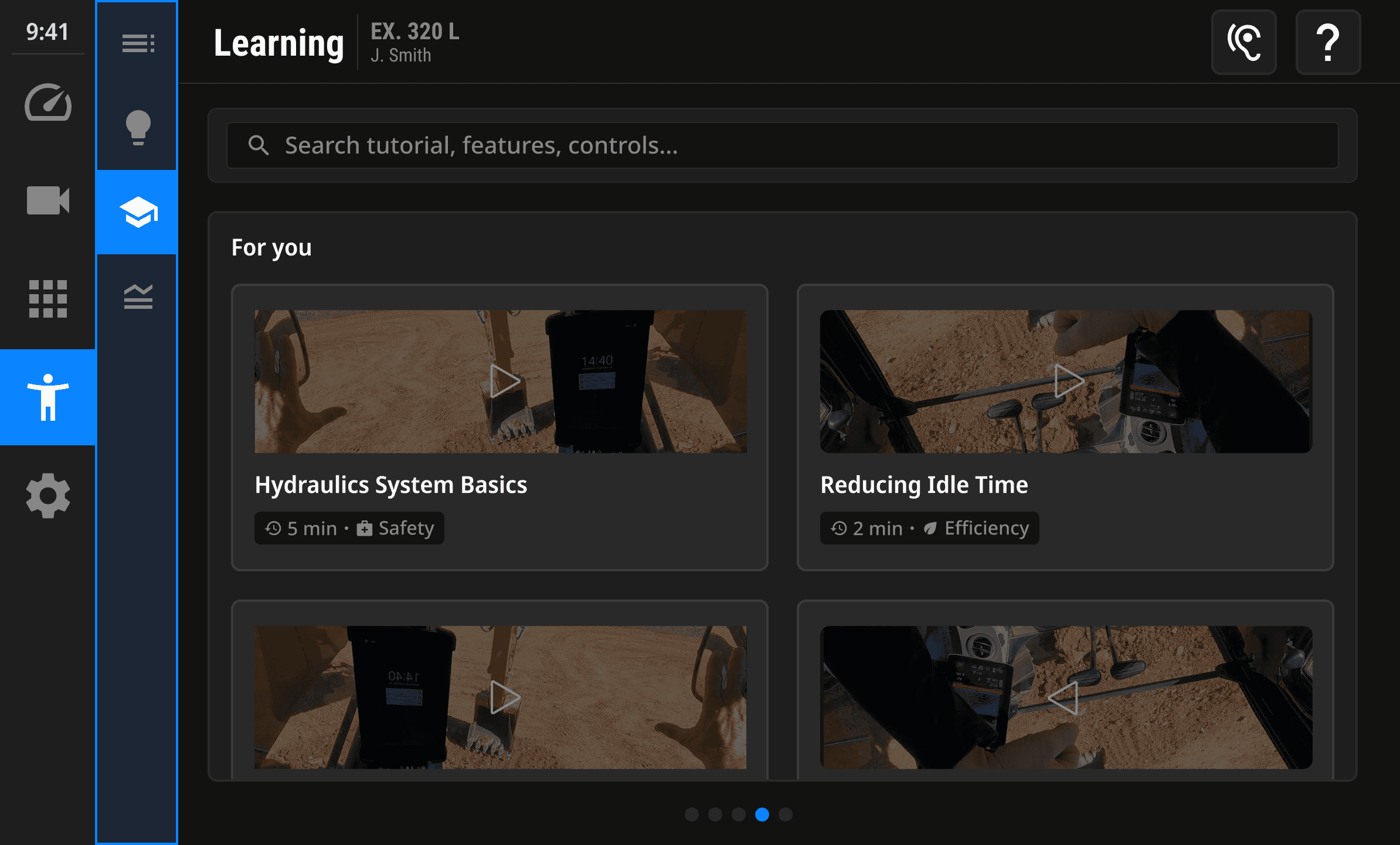
Learning and Performance
For operators who want more guidance, the Learning section offers short, focused videos tied directly to recent coaching tips. Content is personalized and easy to access without pulling operators away from their workflow.
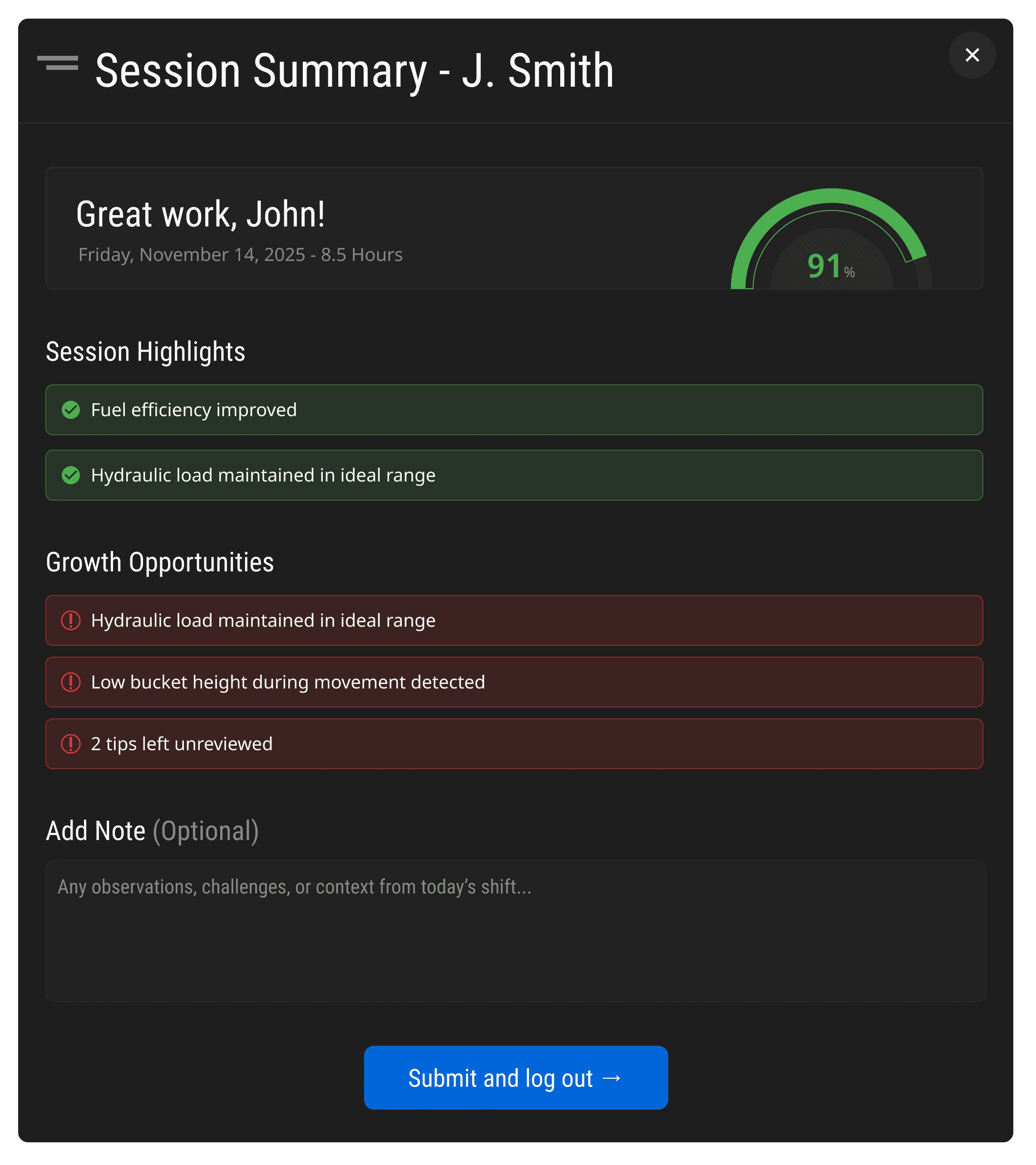
Operator Feedback
At the end of each shift, operators can add context through notes to coaching alerts affected by terrain, equipment, or site conditions. This addresses the "tattletale" perception by giving operators control over how their performance is interpreted, aligning operator and manager understanding while building trust and improving data accuracy.
Final Deliverable
From Tattletale to Teammate
By combining customizable gauges with a clearer, more supportive coaching experience, we’ve created a solution that helps operators work more confidently and safely, while providing managers with more reliable data and better long-term performance.
Outcomes
Competition Winning Design
Reduced Cognitive load
Customizable gauges prioritize
key information
Supports Novice to Expert
Provides guidance without slowing experts down
Optimized for Scanning
Designed for 1-2 second readability
Builds Trust Through Context
Tip context shifts perspective from tattletale to support tool
What I learned
Alex's Portfolio
Navigation